skyslope.com

Initiate real estate contracts quickly and professionally.

All the forms you need at your fingertips for a seamless transaction experience.

skyslope-forms-astronaut

Say hello to your full-service forms platform.

  • Integrated e-signature capabilities

  • MLS-synced data field automations

  • On-the-go app management

mls-synced

MLS Synced

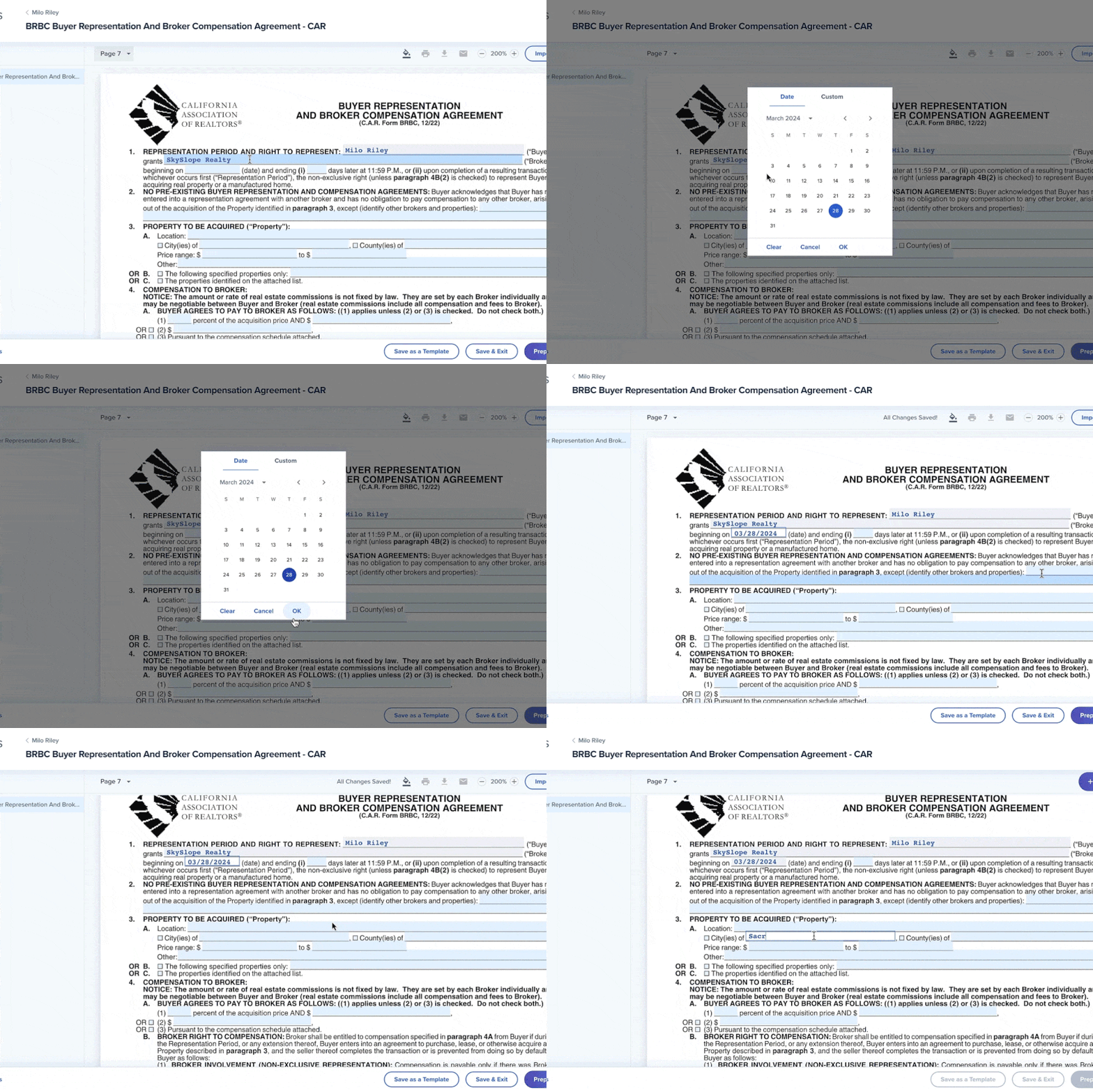
Say goodbye to duplicate data entry. Our automagic technology updates matching fields and automatically pulls in data from the MLS.

SkySlope Forms are automatically uploaded and pre-filled with MLS data pulled from the MLS.

button

Create a new file

Create a new file to start sending out forms.

button-2

Enter client details

Enter client info including dates, contacts, and property details and it will automatically populate across forms.

button-3

Import MLS data

Look up a property and the MLS data will pop up and auto populate across your forms.

broker-libraries

Broker Libraries

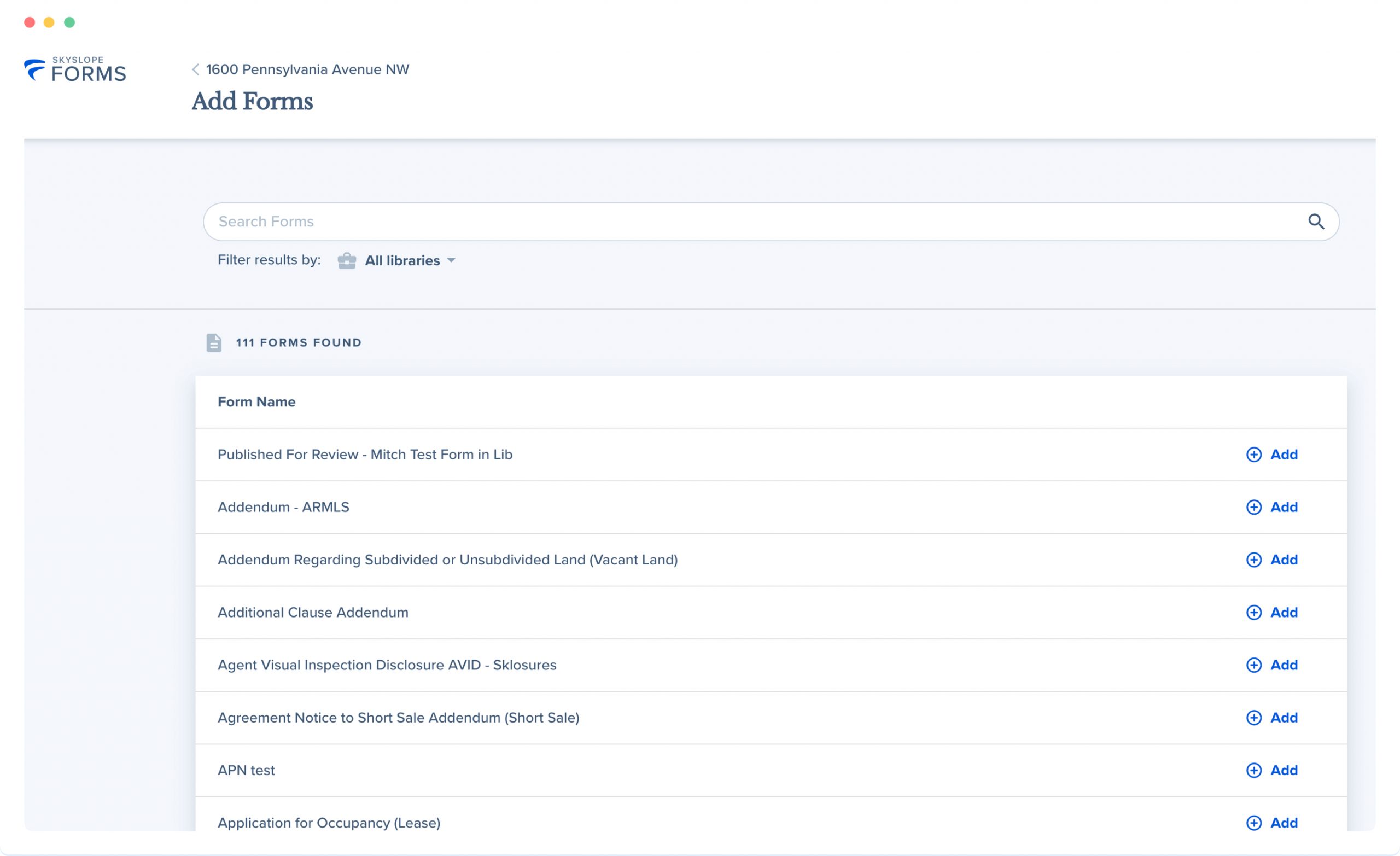
Your broker forms are pre-loaded, ready to go, and always up-to-date so you never miss a beat.

Custom forms for your brokerage for a flawless, centralized experience.

"The interface is very clean. The flow of forms from first creation as a template, to preparing forms for signatures, the client interface, and how the completed forms integrate right back into a newly created transaction is a game changer."
Rick Tibbitts
Allison James Estates and Homes
real-estate-transaction-add-forms
templates

Templates

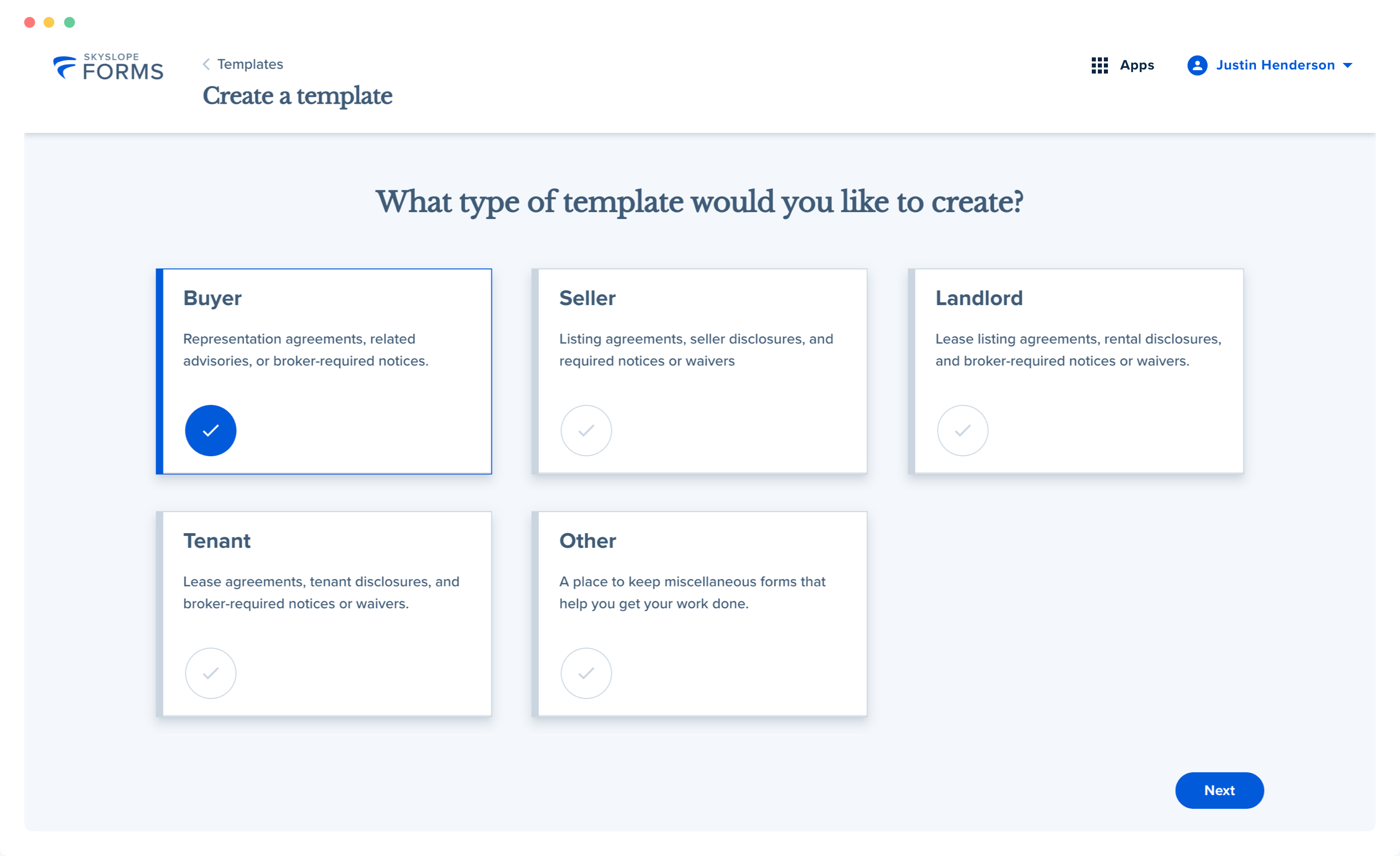
Templates save you time, reduce redundant data entry, and assist clients when signing contracts.

Templates make your life easier

envelope-management

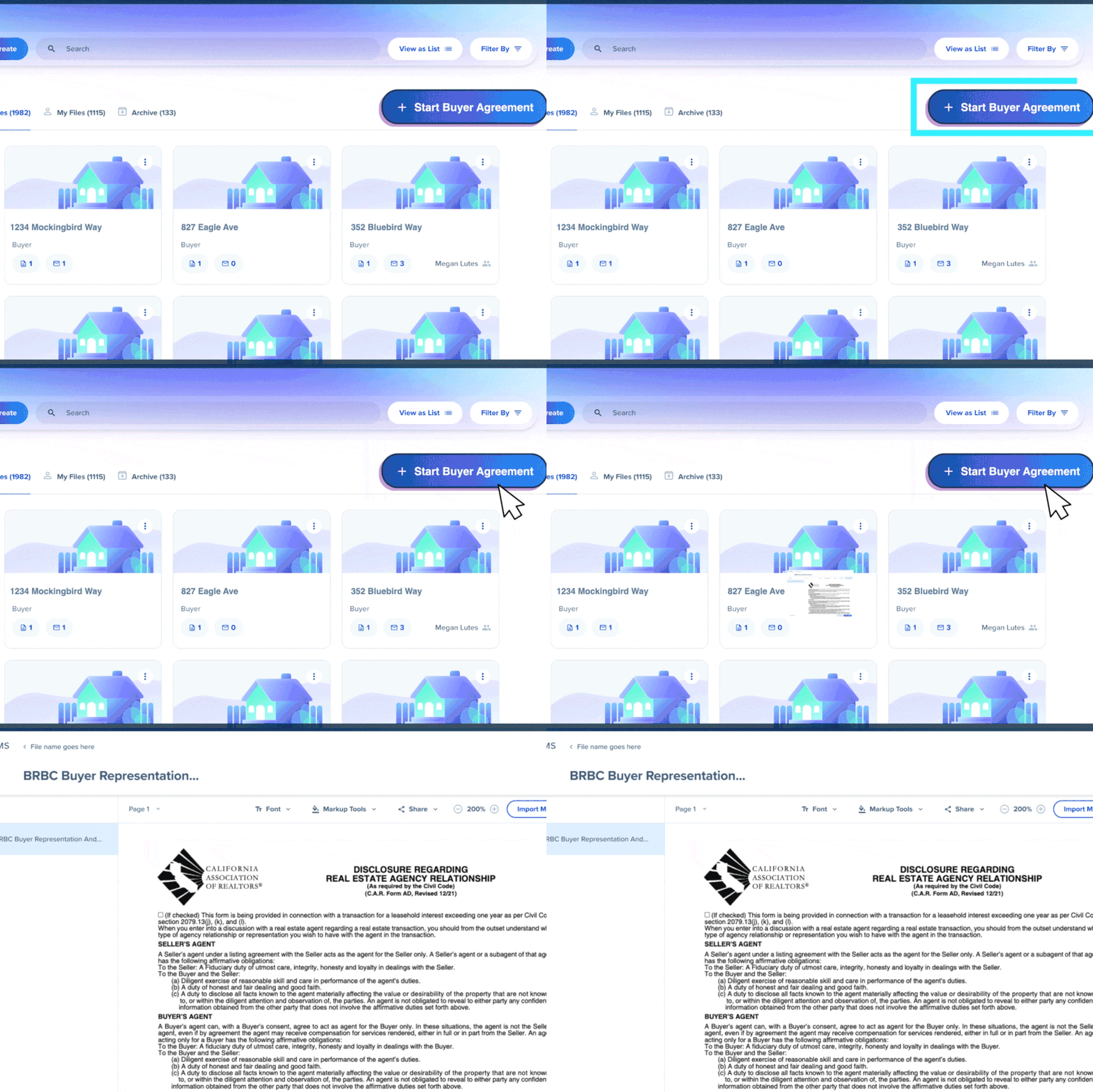
MONITOR BUYER AGREEMENTS

Upgrade to Broker Edition to access a Buyer Agreement page where administrators can search, review, and accept agents’ buyer agreement documents all in one place.

Get Buyer Agreements rolling fast —
Stay in sync with evolving industry standards.

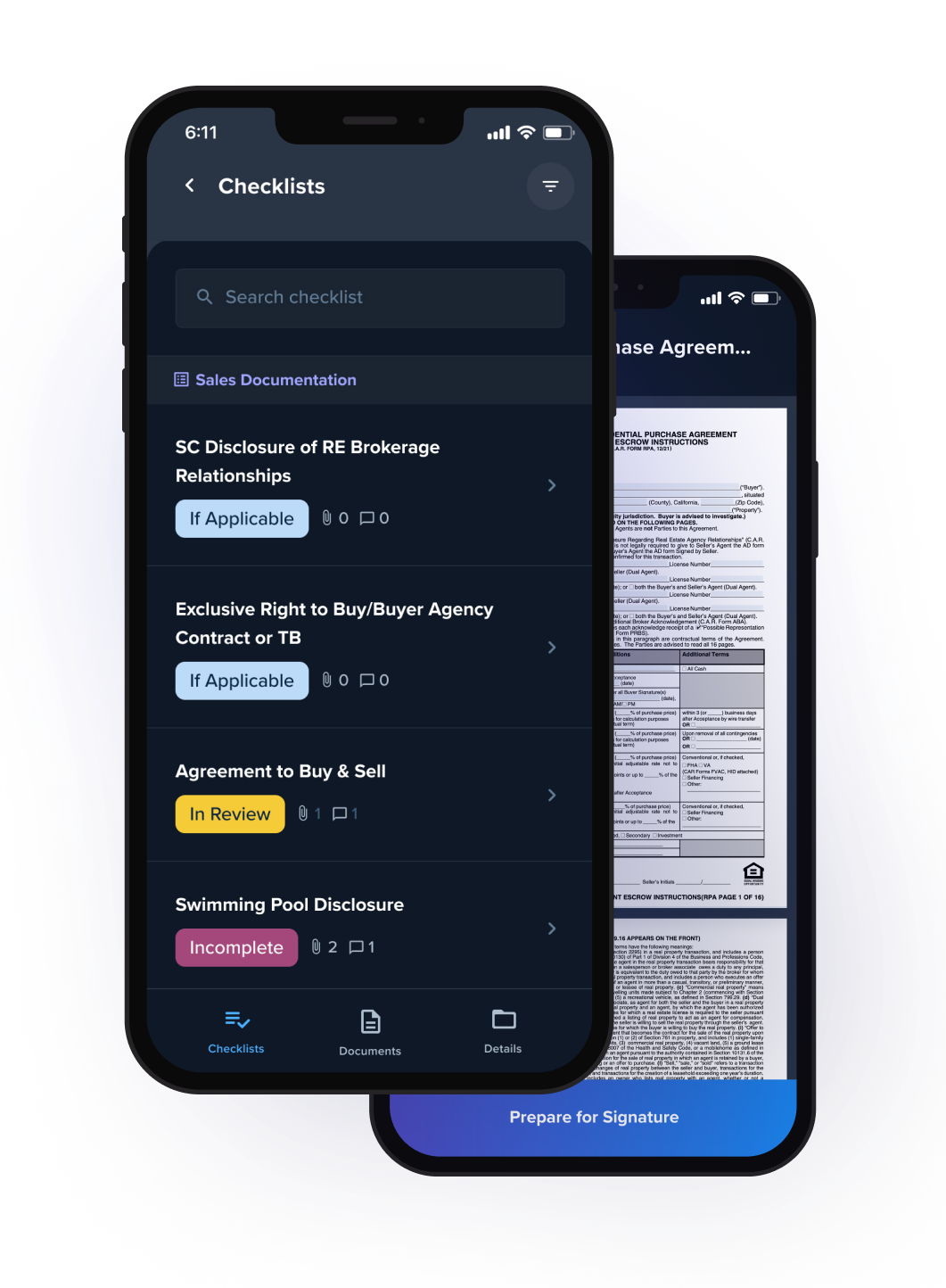
Forms are now on-the-go with SkySlope app.

Download on

apple-download-skyslope-forms-mobile-qr-code
andriod-download-skyslope-forms-mobile-qr-code

Get started with Forms today.

skyslope-logo

Set your brokerage on autopilot.

Seal the deal quickly and securely.

Forms FAQ


SkySlope Forms is a digital forms platform, purpose-built for real estate teams. It streamlines document creation by syncing with live MLS data so agents can start contracts in seconds, not hours.


Here’s how it works:


  • Pre-filling data fields, powered by MLS syncing, automatically populate key details like property address and price, saving time, reducing manual entry, and minimizing errors.
  • Broker Libraries keep brokerage-specific forms organized and always up to date in one central hub.
  • Reusable templates allow agents to build custom form sets that auto-fill shared info to move faster on repeat transactions.
  • One-click handoff to DigiSign lets agents easily send forms for secure e-signature with no extra steps.
  • A mobile app for iOS and Android lets agents draft, edit, and send documents from anywhere. .

SkySlope Forms helps real estate professionals move faster, stay compliant, and reduce friction in every deal so they can focus on what matters most: closing.

SkySlope Forms connects directly with MLS services to pull in real-time listing data. When creating a contract, agents can simply enter the MLS number and select the correct listing from the search results. SkySlope will instantly autofill key fields—like property address, parcel number, and list price—into every form in the file.


Whether an agent is creating a new file or prepping an individual form, the MLS Import button makes it easy to sync data in just a few clicks:


  • Start a new Forms file and click Import MLS Data
  • Enter a MLS number in the search bar
  • Select the correct property and click Import
  • SkySlope will autofill that property info across all forms in the file

By syncing with live MLS data, SkySlope Forms helps agents cut out manual entry, reduce errors, and start contracts with confidence in less time.

Absolutely. SkySlope Forms Templates are designed to save agents time and eliminate repetitive work. With Templates, agents can:


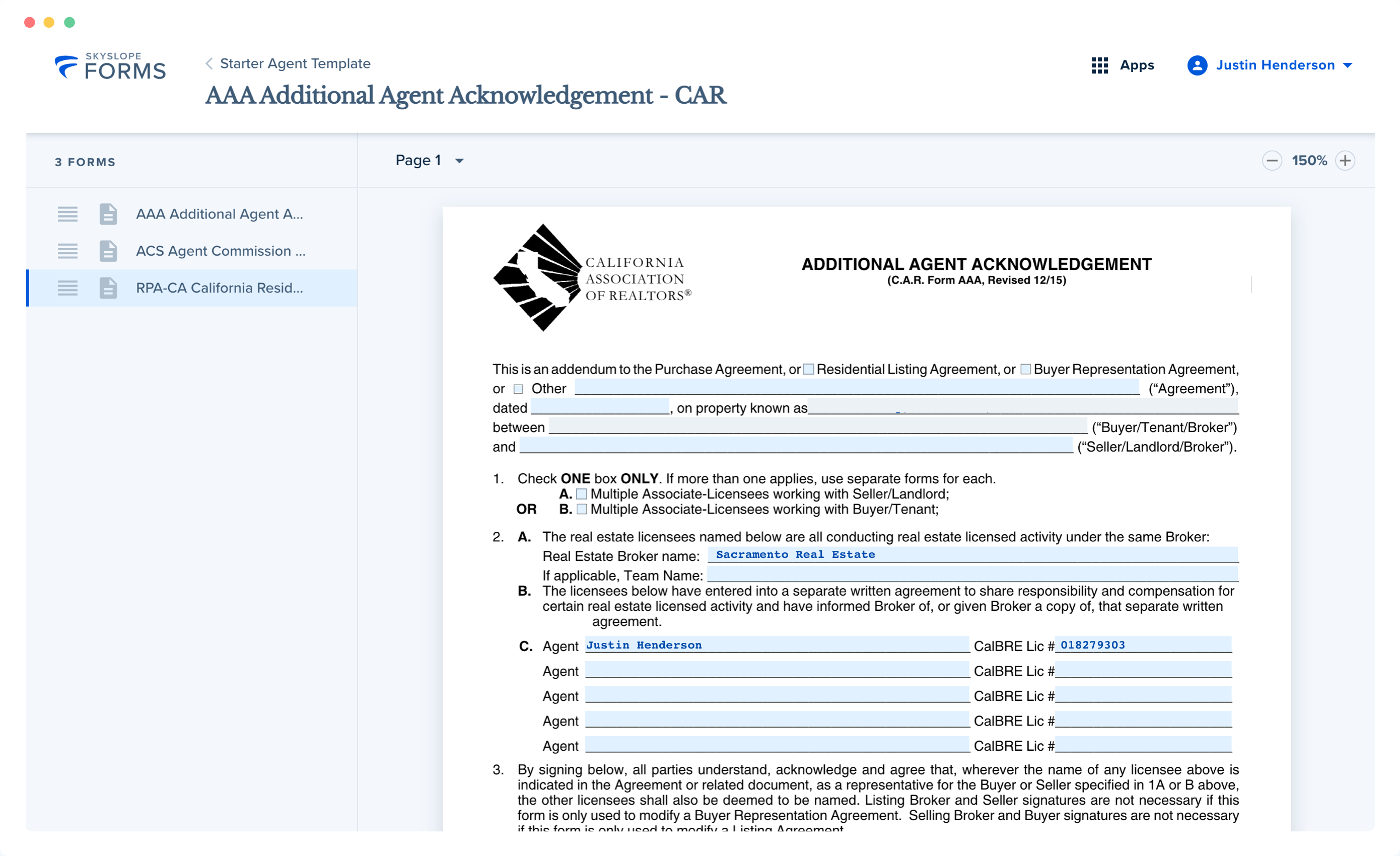
  • Pre-fill forms with info they use all the time such as their name, brokerage, and license number so they’re not retyping them in every file.
  • Bundle their most-used documents into one reusable set, making it easy to add everything they need with a single click.

Templates reduce manual entry, help agents stay consistent, and speed up the path to signatures. Set them up once, and save time on every deal.

Yes. SkySlope Forms allows users to save their progress as they go. When working on desktop, a user can start filling out a form and click Exit and Save at any time. Their work is automatically saved, so they can return later and pick up right where they left off—no starting over, no lost progress.

Broker Libraries stay up to date through direct coordination with SkySlope’s Customer Success team. When a brokerage updates language, adds disclosures, or adjusts fees, they can simply contact support. Support will make sure the brokerage’s library reflects the latest changes so every agent is working with the most accurate, compliant version, every time.

Getting started is simple. Agents will connect their MLS, verify their association, and set up their profile. Once agents are logged in, they can start creating files, accessing forms, and building templates right from their dashboard.


Real estate forms software helps agents and brokers create, manage, and complete transaction documents digitally. Instead of juggling PDFs or starting from scratch each time, agents can use pre-loaded libraries of state or brokerage-approved forms, fill them out online, and send them for signature all in one place.

The goal? Streamline paperwork, reduce manual errors, and save time so agents can focus on closing deals, not chasing documents.

MLS auto-population pulls live listing data—like property address and list price—directly into agents’ contract forms. Instead of typing the same details over and over (or copying and pasting from another system), fields are pre-filled the moment agents enter a MLS number.

It’s a small step that eliminates repetitive work, reduces errors, and helps agents start contracts faster with more accuracy and less effort.

Static PDFs were not built for speed or real estate. Digital forms are dynamic, fillable, and designed to work with the tools agents already use.

With features like MLS auto-fill, reusable templates, and one-click e-signature handoffs, digital forms eliminate duplicate entry, reduce errors, and move deals forward faster. Agents can draft, edit, and send contracts from anywhere without printing, scanning, or workarounds.

The best forms software is built for the way real estate professionals work. Look for tools that reduce manual entry and keep agents’ workflows moving.

Key features to prioritize include:

  • MLS auto-fill to populate contracts with live listing data.


  • Reusable templates to save time on frequently used forms.


  • Broker libraries that keep brokerage-specific documents centralized and always up to date.


  • Mobile access for drafting and editing on the go.


  • Seamless e-signature integration to collect signatures without leaving the platform,


Before getting started, brokerages should ensure the software they choose checks three key boxes: support for local and state forms libraries, seamless integration with their transaction management system, and a mobile-friendly experience built for agents on the go.

Mobile forms apps let agents take action immediately after a showing. Instead of waiting to get back to the office, agents can start contracts, update forms, and send documents for e-signature right from their phone or tablet. It’s a faster, more responsive way to keep deals moving while client interest is still high.

Broker Libraries are customized collections of brokerage-specific forms, stored and maintained in one centralized place. They ensure agents always use the most current versions of required documents, with brokerage-approved language and formatting. By reducing the risk of errors and keeping everyone aligned, Broker Libraries help brokerages stay compliant and save time on oversight.