What is real estate back office software?
Real estate back office software runs the operational side of a brokerage once a deal is signed. It applies each agent’s commission plan to each closing, pays the agent, bills recurring monthly fees, and reports on production and the company dollar. It sits between transaction management, which covers the deal up to closing, and the accounting ledger, which records the results.
In the SkySlope Suite, the back office is SkySlope Books, which is synced to SkySlope’s transaction management so each closing is entered once.

Key takeaways
- The back office starts at closing and ends when the payout is recorded.
- Commission plans should be profiles assigned to agents, not formulas rebuilt for each deal. Caps are a good test.
- Evaluate a system on a realistic closing that includes a capped agent, a team member and a referral.
- Switching systems usually takes a parallel month and a cutover at month end. Most of the work is mapping commission plans.
Where the back office fits in a transaction
A deal passes through three kinds of system. Knowing which one handles each step helps you tell whether a product is a back office, a transaction manager, or accounting software.
Contract
Offer accepted, file opened, documents collected.
Transaction managementReview
Checklist complete, documents approved by the broker.
Transaction managementClose
Commission amount confirmed, CDA issued.
Back officeCalculate
Plan applied: royalty, split, cap, override, fees.
Back officePay
Payout sent; fees and invoices deducted.
Back officeRecord
Ledger, trust balance and 1099 totals updated.
AccountingClose, Calculate and Pay are back office steps. Contract and Review belong to transaction management, and Record belongs to brokerage accounting, which covers trust reconciliation and 1099s.
The commission engine
How does back office software calculate a commission?
It applies the agent’s plan in the same order on every closing. A common order is: franchise royalty taken from the gross commission; the brokerage’s split of the remainder until the agent has paid the firm their annual cap; the team lead’s override if the agent is on a team; then flat fees. The system, rather than a person, keeps track of the order and the cap.
Three features separate a commission engine from a spreadsheet:
- Plans are profiles. A plan is a named set of rules (split, cap, fees, royalty) assigned to an agent or team. SkySlope says Books’ customizable commission profiles allow “even the most complicated team structures to be automated.”
- Caps are running totals. The system tracks how much each agent has paid toward the cap across all prior closings, and changes the split on the deal that reaches it.
- Closings arrive already entered. Price, parties and commission come from transaction management instead of being typed a second time.
Commission plans a back office has to handle
| Plan | How it works | What the software must track |
|---|---|---|
| Traditional split | A fixed percentage to the agent and the firm on every deal, for example 70/30 | The split for each agent |
| Capped split | The split applies until the agent has paid the firm a set amount in their plan year, then the firm’s share drops | Cap paid to date across closings, and the reset date |
| Graduated (tiered) | The agent’s share increases as production passes set thresholds | Year-to-date production and the tier thresholds |
| 100% plus fees | The agent keeps the full commission and pays a transaction fee and monthly fees | Fees per deal and per month |
| Team | The team lead receives an override on each member’s deals, in addition to the firm’s split | Override percentage, and which cap each deal counts toward |
| Franchise royalty | A percentage paid to the franchisor, often with its own cap | Royalty rate and royalty cap, separate from the agent’s |
Commission calculator
Enter your own plan details. The breakdown updates as you type.
Illustrative. This applies one common order: royalty off the gross, then the brokerage split until the agent reaches their annual cap, then any team override, then the flat fee. Plans differ in order and in what counts toward the cap; the numbers here are defaults, not a recommendation.
The agent lifecycle
An agent’s record in the back office lasts longer than any single deal.
| Stage | What the back office holds | Common problem without it |
|---|---|---|
| Onboarding | Plan assignment, fee schedule, payout details, W-9, the independent contractor agreement | An agent paid on the wrong plan |
| Monthly | Recurring desk, technology and E&O fees; invoices posted automatically | Staff chasing many agents for the same fee |
| Each closing | Plan applied, cap total updated, fees deducted from the payout | A cap reached on paper but not applied to the payout |
| Cap reset | Caps reset on the plan’s reset date, often the agent’s anniversary | An agent charged a full split too early |
| Year end | Payment totals ready for 1099s | A manual reconciliation in January |
| Departure | Final invoice, pending deals, payout of remaining commissions | Unclear balances owed in both directions |
Paying agents
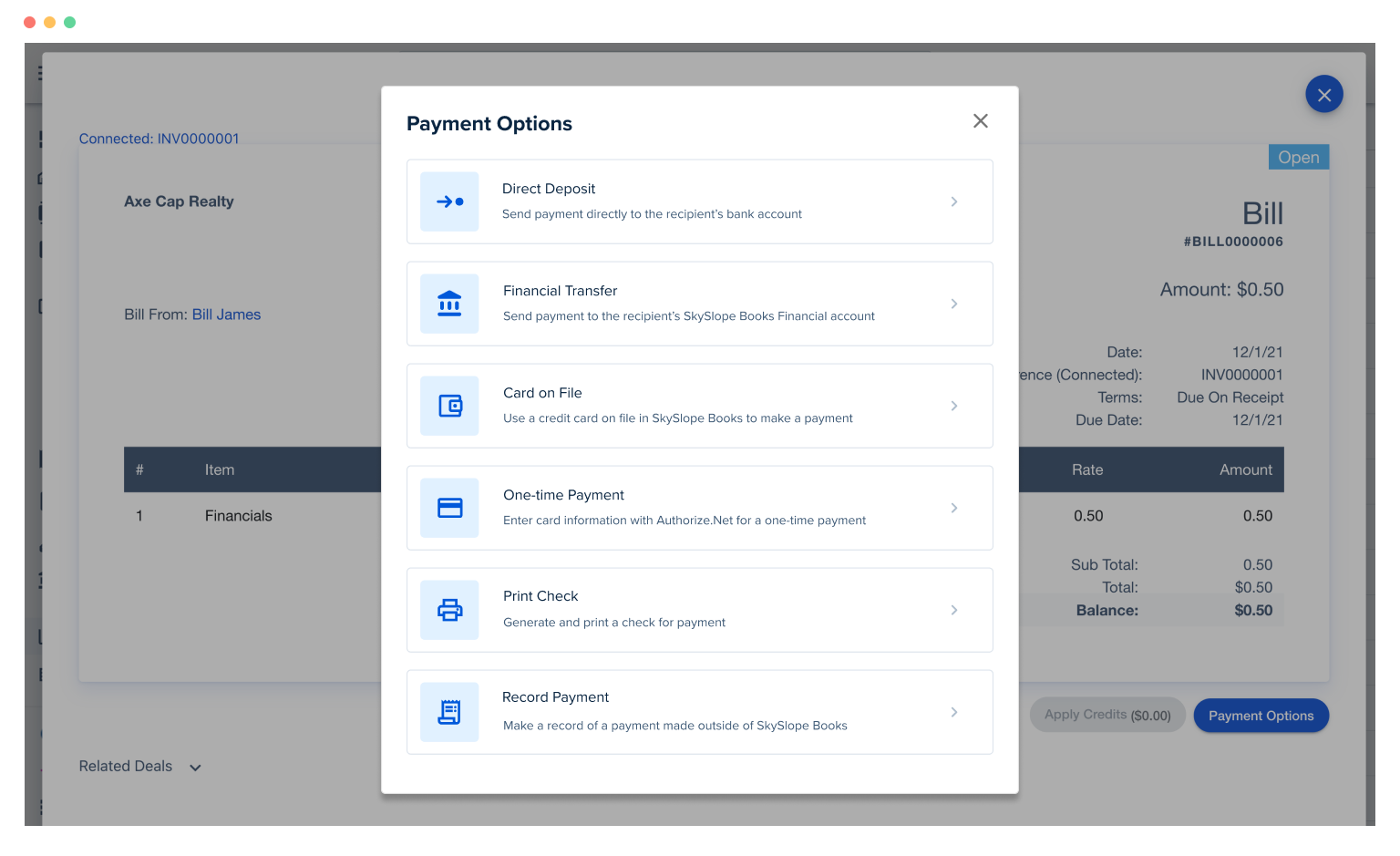
After the payout is calculated, the money has to be sent. Books pays disbursements, invoices and recurring charges from the same place, with next-day transfers through FDIC-insured partner accounts.
Monthly reports for brokers
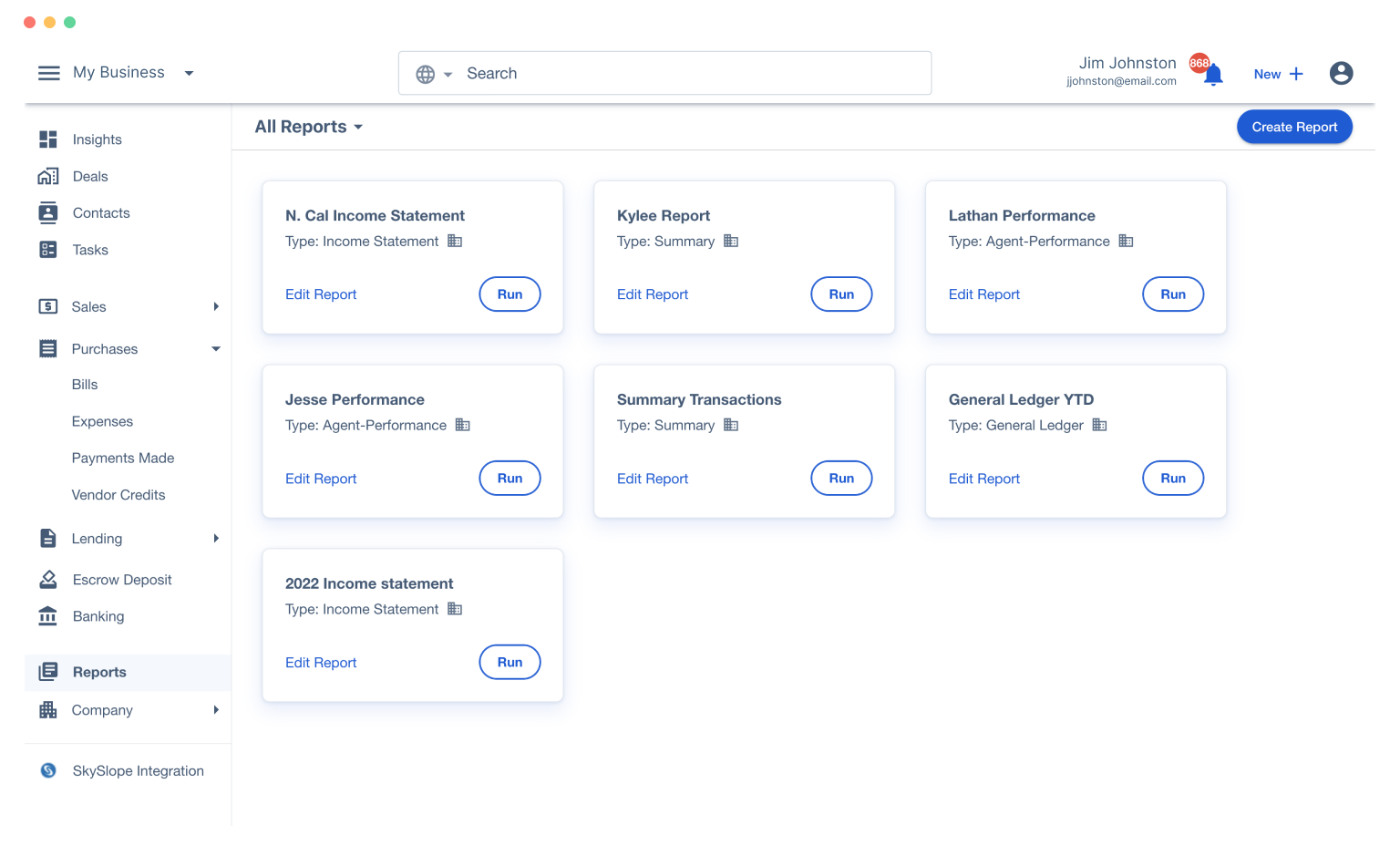
Most brokers rely on a small set of reports run the same way each month. These are worth setting up first:
- Company dollar by office: what the firm kept after splits.
- Agent production: closings, volume and gross commission for each agent.
- Cap status: which agents are close to capping, since that changes their next payout.
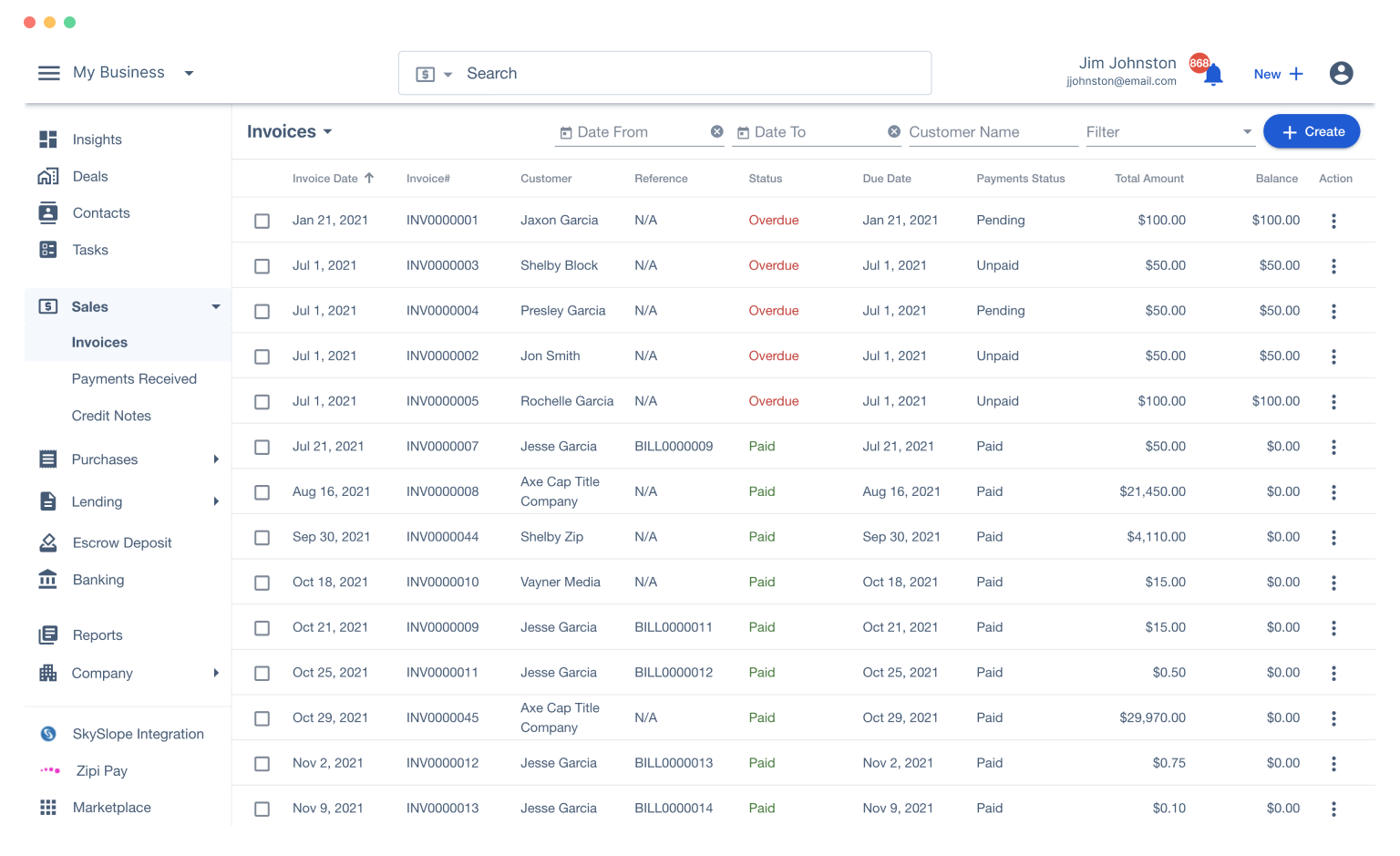
- Receivables: agent fees and invoices outstanding.
- Pending income: commissions on deals in escrow.
- Income statement by office, for the owner and the accountant.
How to choose: a weighted scorecard
Score each option from 1 to 5 on each line, multiply by the weight, and compare the totals. The weights below are a suggested starting point; adjust them to your brokerage’s priorities.
| Criterion | Weight | What a 5 looks like |
|---|---|---|
| Commission engine | 30% | Profiles with caps, team overrides and royalties; a capped agent’s split changes mid-year without manual edits |
| Transaction data flow | 20% | Closings arrive from transaction management without re-typing |
| Payouts | 15% | Payouts and fees settled inside the tool, with next-day transfers |
| Agent billing | 10% | Recurring fees and invoices post automatically; card on file |
| Reporting | 10% | The monthly reports above, saved and run with one click |
| Ledger handoff | 10% | A clean sync to your general ledger or accountant |
| Support and onboarding | 5% | Help mapping your commission plans |
Warning signs in a demo
- The demo deal has no cap, no team and no referral. Ask to see all three on one closing.
- Plans are built as formulas for each deal rather than as profiles assigned to agents.
- Closings are typed in or imported from a spreadsheet rather than arriving from transaction management.
- Paying an agent requires exporting to a separate bank or payroll tool.
- The standard monthly reports have to be custom-built.
Switching systems
How do you switch back office software without disrupting payouts?
Map every planWeeks 1 and 2
List every commission plan, cap, fee and royalty in use, and the agents on each. This is most of the work.
Load and checkWeek 3
Build the plans as profiles, load each agent’s cap paid to date, and recalculate the last ten closings. The results should match what was paid.
Run in parallelMonth 2
Calculate one full month in both systems. Differences usually point to plan-mapping errors; correct them before cutover.
Cut over at month endMonth 3
Reconcile opening balances, switch payouts on the first of the month, and keep the old system available as read-only.
FAQ
What is real estate back office software?
Software that runs the operational side of a brokerage after a deal is signed: calculating commissions from each agent’s plan, paying agents, billing recurring fees, and reporting on production and the company dollar. It takes deal data from transaction management and sends its results to the accounting ledger.
How is back office software different from transaction management software?
Transaction management covers the deal up to closing, including documents, signatures, checklists and compliance review. Back office software takes over at closing and handles the commission, the payout and the fees. In a combined suite, both use the same record of the deal.
How is back office software different from accounting software?
Back office software calculates the brokerage’s commissions, payouts and invoices. Accounting software keeps the books those figures are recorded in, including the trust account, the general ledger and the 1099s. Many brokerage products do both.
Can back office software handle commission caps?
It should. A cap changes an agent’s split partway through their plan year. SkySlope Books adjusts team caps in real time as milestones are reached, so the next closing is paid at the correct split without manual changes.
What is a CDA?
A commission disbursement authorization: the brokerage’s instruction to the closing agent on how the commission is to be paid. In a connected back office it is generated from the closing record.
How long does it take to switch back office systems?
Plan for a month of running both systems in parallel and a cutover at the start of a month. Most of the time goes into mapping every commission plan and reconciling opening balances.
Bring your most complex commission plan to a demo and see Books apply it to a real closing.
Request a demo →Sources
- SkySlope Books product page. skyslope.com/products-services/books/
- SkySlope pricing. skyslope.com/pricing/

