Home » Products & Services » DigiSign
Get Real Estate Deals Signed Fast with Secure E-Signatures
Send documents for signature from virtually anywhere at any time to anyone.





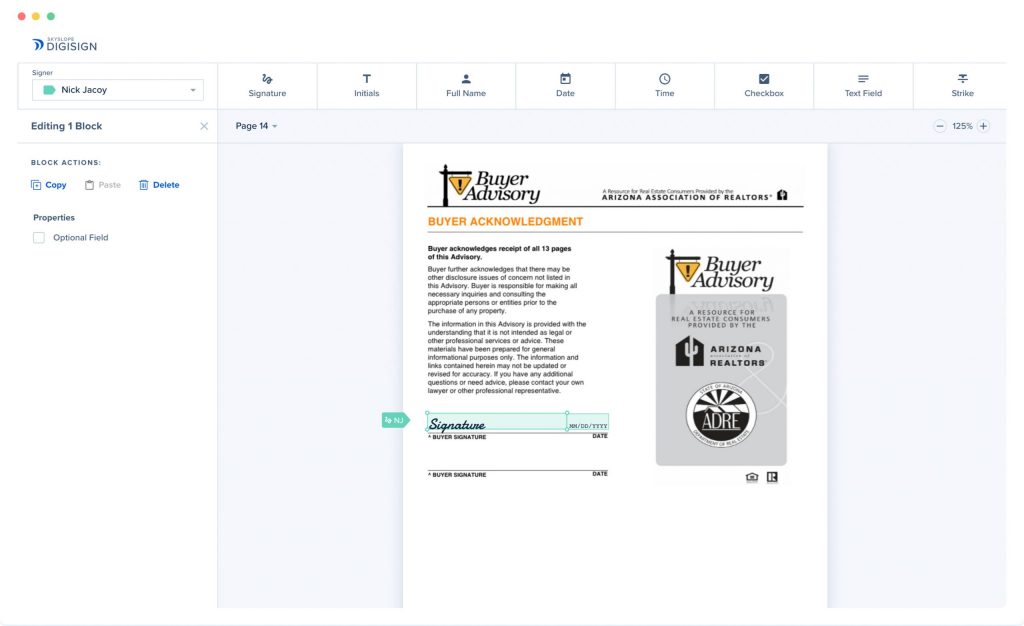
Envelope Management
Create envelopes to help you organize different sets of documents you need signed.
A dashboard fully equipped with a 360º summary of all your envelopes.
- Straightforward, user-friendly interfaceUse tabs, filters, and a search field to accurately locate your envelopes quickly.
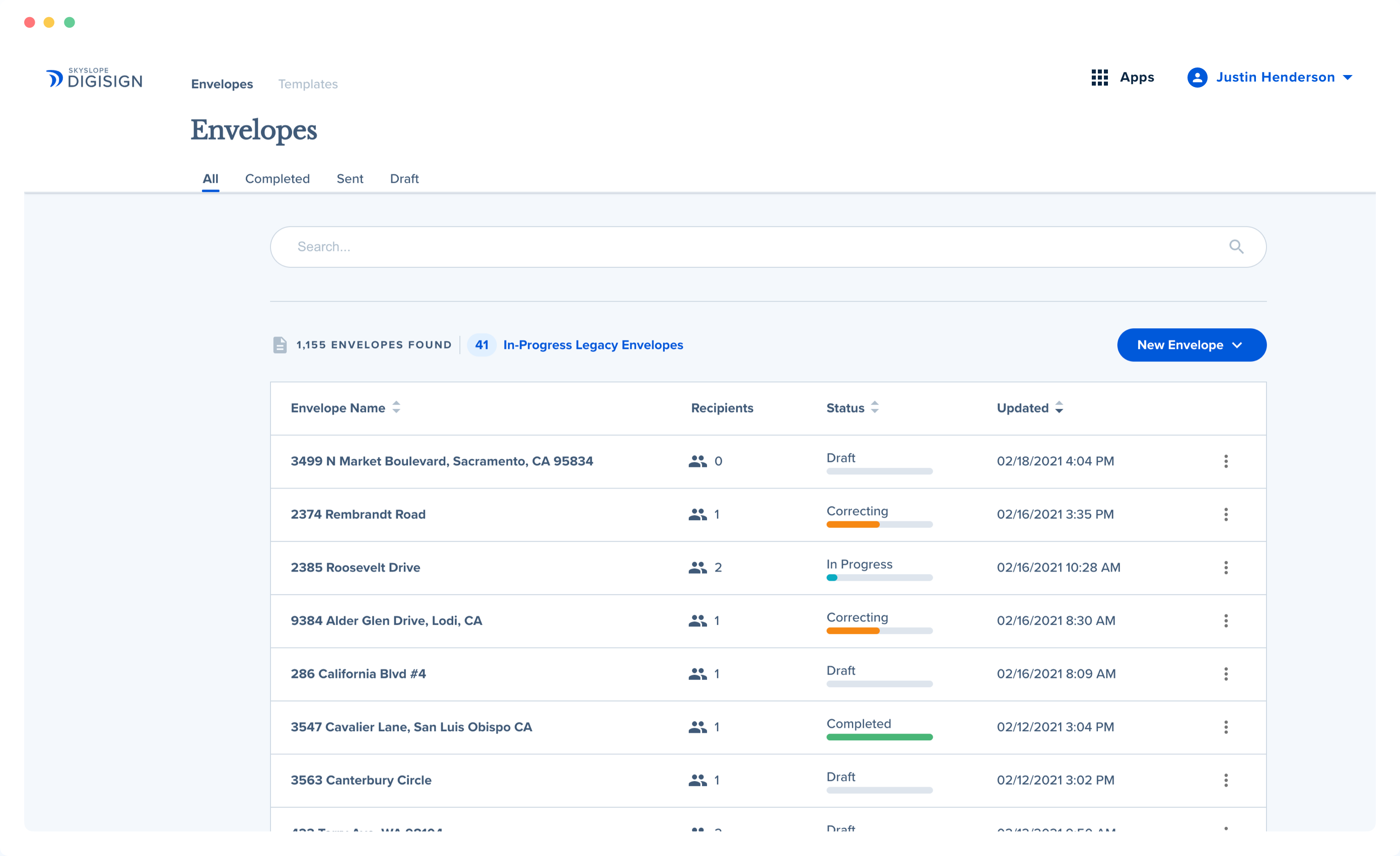
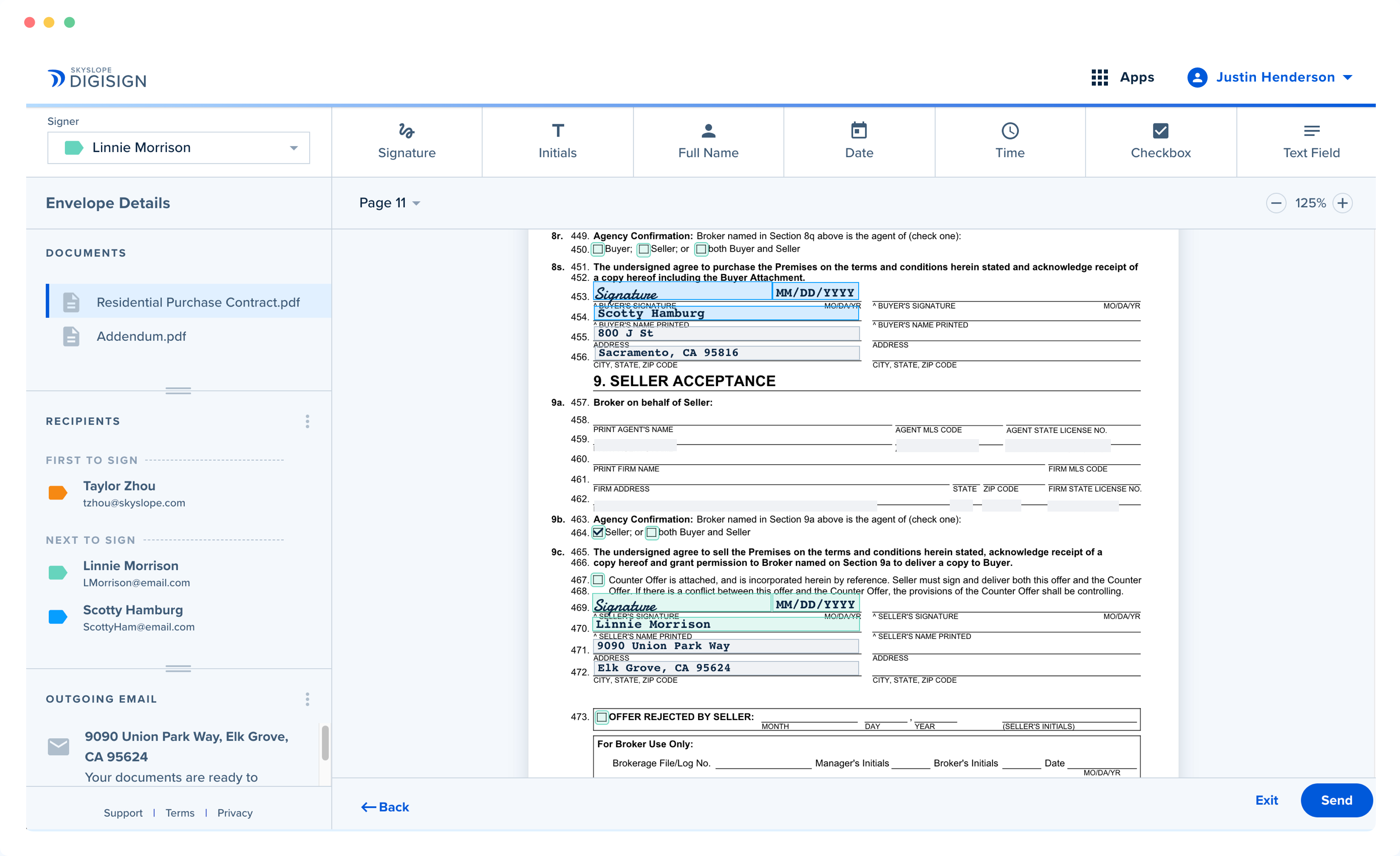
- Easily prep your forms for signature Enjoy enhanced functionality including strike-through, checkbox groups, align options, and color-coded signature blocks.
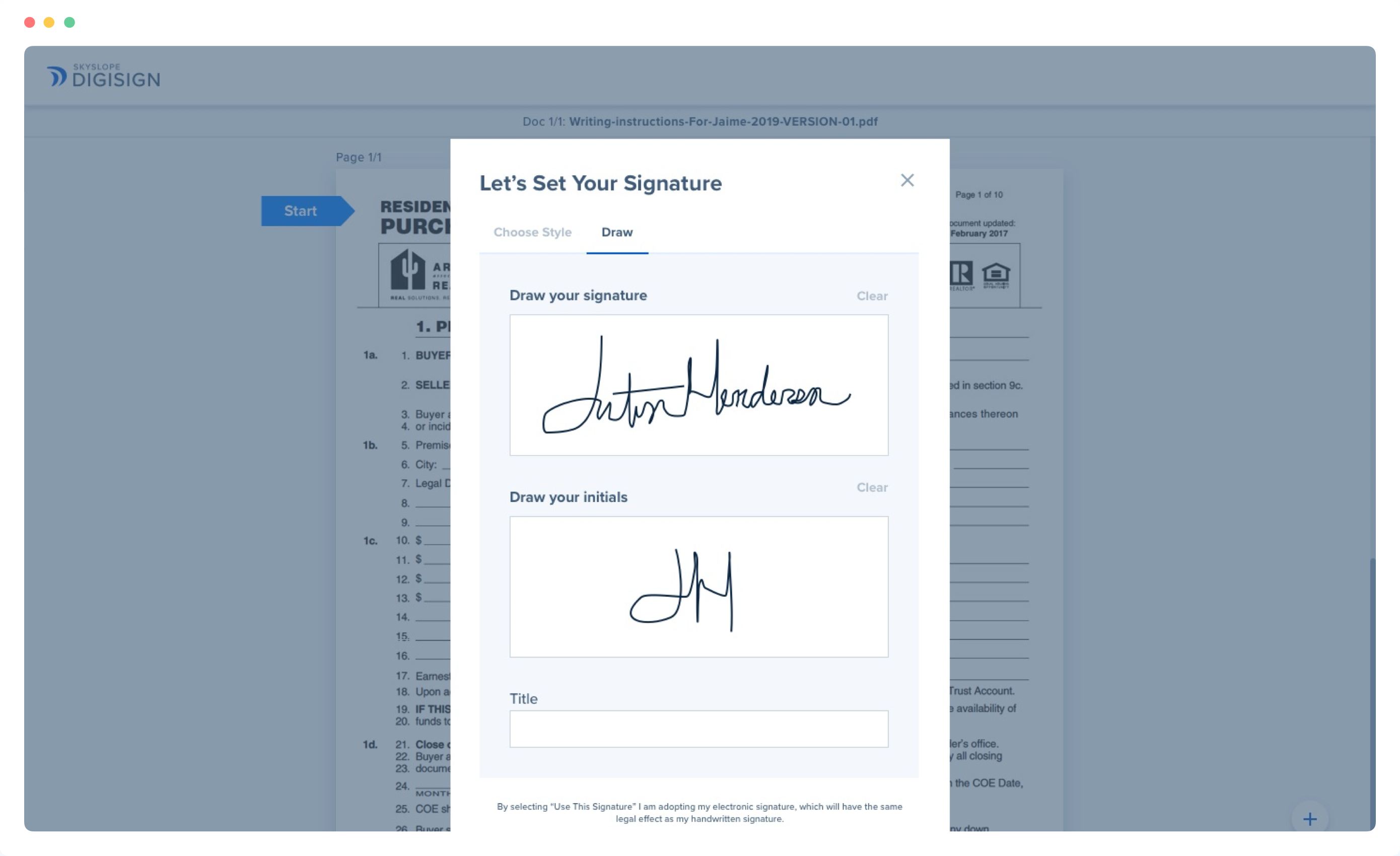
- A smooth signing experience for all Signers are greeted with clear instructions, optimized navigation, and assorted signature options, including the ability to draw their own.
document signing
Send documents for signature fast and easy with intuitive features.
All the functionality you need to prepare forms to send for signature.

Select a property
Enter in the address of the property or choose an existing property from your SkySlope account.

Add recipients and prepare form
Add people who need to sign. Then place signature and date fields, add checkboxes, and text blocks.

Make a personalized note
Write a custom message for your client. Include any details you might want to point out.
Highly Secure
SkySlope protects your confidential information with industry-leading encryption and security.
SkySlope DigiSign adheres to the most stringent security standards.

Get started with DigiSign today.


DigiSign FAQ
DigiSign is SkySlope’s built-in electronic signature solution designed to simplify how real estate agents collect signatures. It lets agents send, sign, and manage documents directly within SkySlope without needing to switch between apps or download files.
With SkySlope DigiSign, recipients can sign documents securely from any device, and agents get real-time tracking and notifications every step of the way. It’s fast, compliant, and keeps transactions moving smoothly.
Yes. DigiSign uses industry-leading encryption and security to protect agents’ and clients’ information and ensure compliance with real estate regulations. Each DigiSign e-signature creates a secure digital mark that verifies identity, and the platform is built with top security standards—including SSL certification—to keep data safe throughout the signing process.
DigiSign is purpose-built for real estate and designed to work seamlessly within the SkySlope platform. Unlike many third-party tools, it includes unlimited envelopes and built-in markup tools—no add-ons, no surprise fees.
Because it’s fully integrated with SkySlope workflows, agents can send, sign, and track documents without ever leaving the platform.
And when it comes to pricing, DigiSign costs significantly less than tools like DocuSign or Authentisign, while still delivering all the essential features real estate professionals need.
Yes. DigiSign is fully mobile-friendly—no app download required. Clients can review and sign documents from any phone, tablet, or desktop using responsive signing.
Agents receive real-time mobile notifications when documents are signed, and can even prepare envelopes on their phone using the SkySlope iOS app.
DigiSign includes all features—plus unlimited envelopes—for just $6.25/month, billed annually. For comparison, basic plans from tools like DocuSign and Acrobat E-sign start at $240/year. See how DigiSign stacks up.
Need pricing for a brokerage?
Bulk plans are available. Reach out to a Customer Success Manager to learn more about brokerage-wide options.
Yes. DigiSign supports initials, dates, checkboxes, text fields, and more so every real estate form is complete before it’s submitted. Agents can also create reusable templates that save their preferred field placements, like initial blocks on frequently used forms, to speed up their workflow.
A real estate digital signature is a legally recognized way to sign documents electronically. It complies with ESIGN Act and UETA standards and captures important details like signer identity, IP address, and timestamp.
By replacing the need for scanning or couriers, e-signatures help real estate agents move transactions forward faster. Learn more in our Digital Transaction Guide.
Yes. Electronic signatures are legally enforceable when they include signer authentication and a verifiable audit trail.
Courts accept cryptographic certificates as valid evidence, and most state real estate commissions recognize compliance with the ESIGN Act. To stay compliant, brokers should save the audit log along with the final signed PDF.
Beyond meeting ESIGN Act and UETA standards and capturing signer identity, IP address, and timestamp, real estate e-signature tools should be easy to use. Look for drag-and-drop signature and date fields and markup tools that let agents customize contracts quickly.
A mobile app and intuitive features like pop-up prompts that make signing smooth for agents on the go is also a plus. Look for mobile-responsive signing that adapts to any device an agent’s client is using, unlimited envelopes to avoid surprise fees, and seamless integration with current transaction management platforms to keep everything connected.
e-signature platforms replace print, scan, and email cycles with instant digital routing, often reducing turnaround time from days to hours.
Further speeding things up are built in features like auto-reminders that can nudge signers who haven’t finished signing, and real-time updates that keep agents informed when envelopes are signed so they can immediately upload them to checklists for auditor review.
A secure e-signature platform protects the integrity of agents’ documents through encryption, tamper detection, and signer authentication.
Look for tools that use AES-256 encryption to safeguard data at rest and in transit. Tamper-evident hash values ,or unique digital fingerprints created when a document is signed, help flag any changes made after signing. For added security, platforms may also offer multi-factor authentication like SMS codes or identity verification questions.
Start with the essentials: make sure the platform is compliant with ESIGN and UETA standards out of the box.
From there, consider how it fits into agents’ workflows. Does it sync directly with MLS-fed forms? If so, agents can open forms and send them for signature without uploading or reformatting—saving valuable time.
Look for a plan that includes real estate–specific tools like highlighting and strikethroughs without extra fees. Some platforms charge à la carte for common markup tools, which can quickly add up.
Unlimited envelope sends may also be important, especially for high-volume agents. Platforms with monthly caps could lead to unexpected costs as a brokerage team grows.
Finally, consider pricing flexibility. A platform that offers discounted brokerage or enterprise plans can keep overhead low while scaling easily as more agents are added.