With our vision of keeping brokers and agents connected to their customers forever, we’re dedicated to providing the most innovative real estate technology. We believe lifelong connections and strong relationships are foundations of the real estate industry, and we’re driven to support our customers in our vision.
We’re decking SkySlope’s halls with boughs of updates. ‘Tis the season to lead-generate!
Our latest enhancements boast both functionality and efficiency so you can spend less time managing transactions and more time connecting with your clients this holiday season.
December’s Product Roundup includes (click on the link to take you directly to the section):
Product Updates and Enhancements
Skyslope
‘Download All’ in Shared Docs
We’re making good on our promise to prioritize your suggestions. This particular suggestion had the most upvotes in our Feature Requests forum.
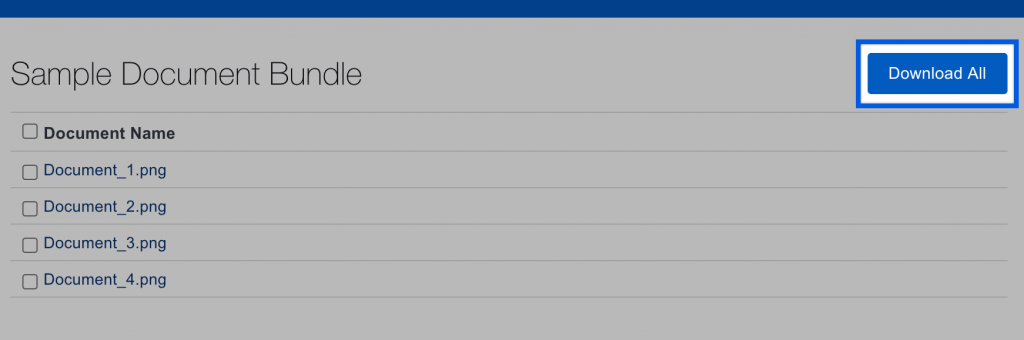
Often, you need to share documents with someone outside of SkySlope. With Share Docs, you can select documents and create a shareable link. Now included in the Shared Docs is the option to download all the documents in a bundle.
This update is available to all users and recipients of document bundles.
More Sorting Options in Documents to Review
There are many ways to sort documents in the Documents to Review tab, and with our newest release, auditors can now sort by “Oldest Pending Document.” Sorting by oldest pending doc is a game-changer for auditors who want or need to review documents within a specific timeframe.
This update is available to Brokers and Auditors.
Copy Checklists Between Offices
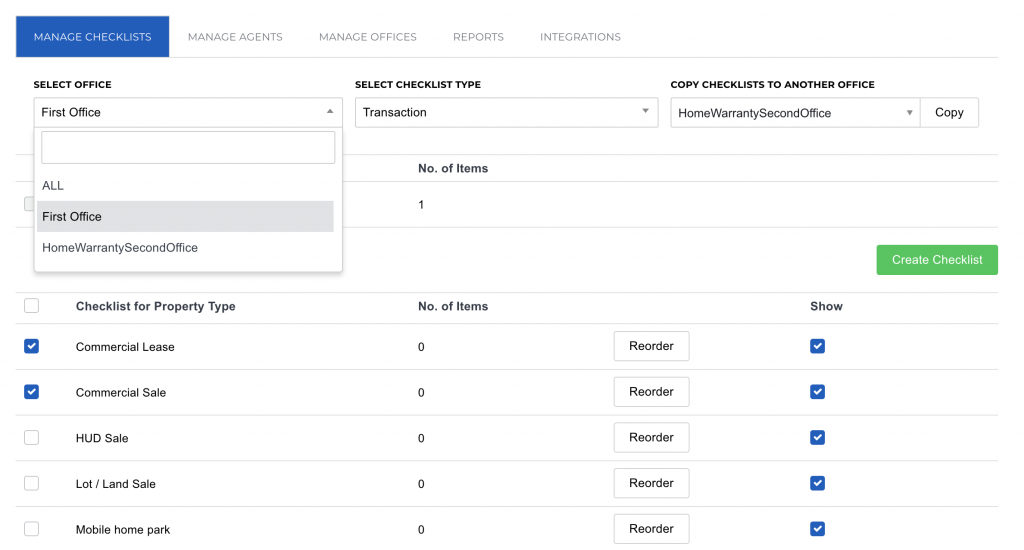
We’ve made it easier for admins to copy any checklists between any office. Previously, under the Manage Checklists tab, you could only copy a checklist from the default ALL office. Now, all you have to do is simply select one or more checklists from any office and copy the selected checklists to any other office. Our team is excited to check this update off our checklist!
This update is available to Brokers and multi-office Auditors.
Skyslope Forms
The following updates are available to accounts in Arizona, Colorado, Texas, Washington, and Oregon that have SkySlope Forms enabled.
Archive Files
File archive was the number one feature request among our SkySlope Forms customers and we’re happy to report that we have added this feature!
Now, you can select files to archive and keep only the most relevant files on your primary dashboard. Archived files are stored under the archive tab on your dashboard
Duplicate a File
Writing multiple offers? You can now make a copy of a file to make starting a new file quick and easy. Duplicating a file will copy forms, property info, contacts, and any other file data. Less data entry increases your efficiency — especially when sending out multiple offers with your buyers.

Preview Forms
Make sure you’re adding the right form to your file with our new preview form feature. Simply click on the form and a preview of that form will appear. Click the X and you’ll be back to your list of forms.
Bulk Select Multiple Forms
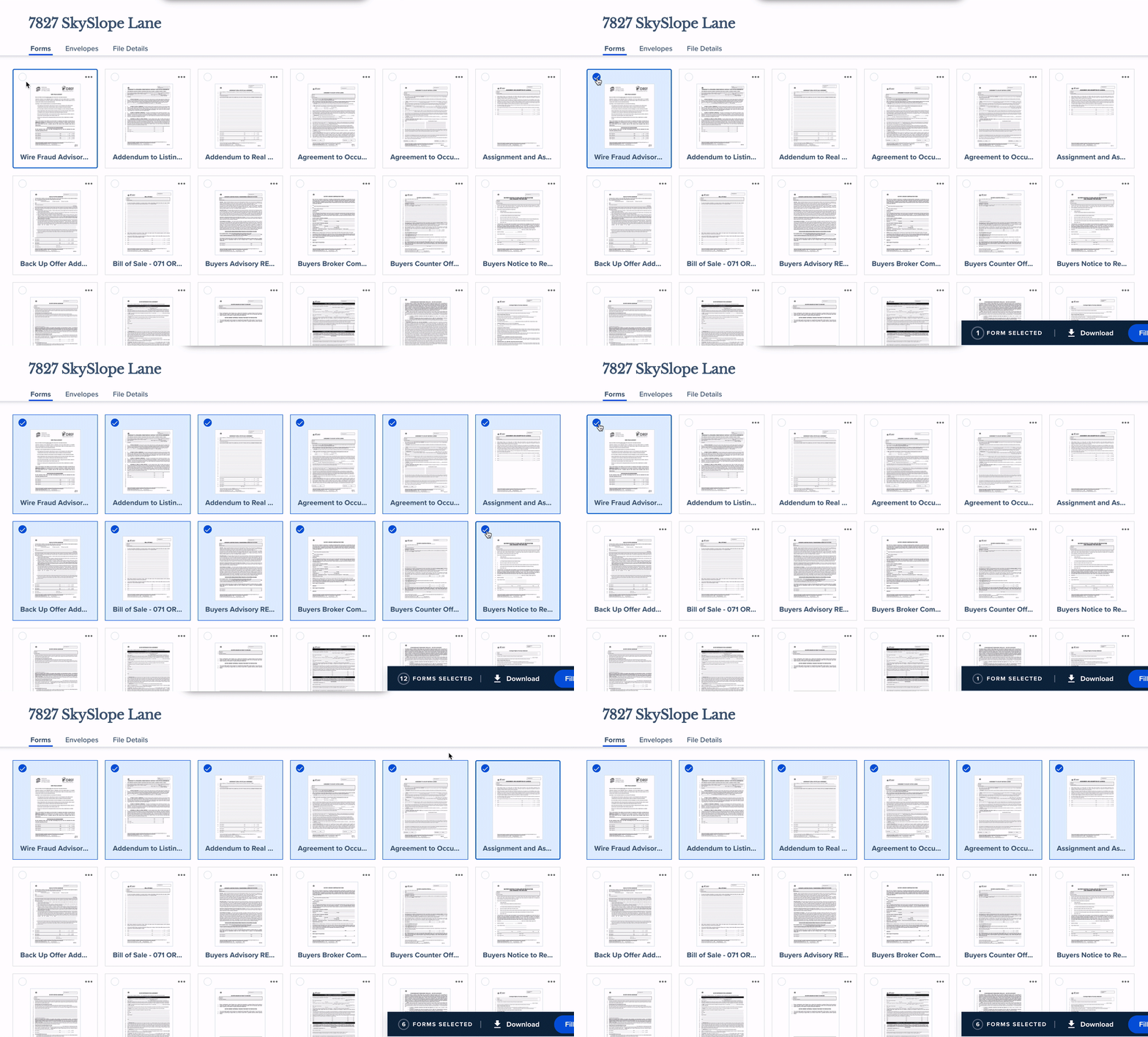
You can now select multiple forms at once. To select multiple forms located next to one another, click the first form, then hold down the Shift key while you click the last form. To remove specific forms from your selection, simply click on the form to unselect it.
Preview forms in a template
Save Work as a Template
You can now save your work-in-progress as a template. With templates, there’s less data entry so you can prepare and send documents faster. Saving your work as a template gives you the convenience of creating a template from any point in your workflow. When you save your work as a template, your template will include all the forms in your file and any data on those forms, but no additional file data.
View Forms in Envelopes
We created an easier way to view forms within your sent envelopes. Previously, you would need to download the forms to view them. Now, with one-click, you can view any form at any stage of the envelope (sent, viewed, partially signed, completed), plus you can download and print forms from the viewer.
Skyslope Digisign
The New SkySlope DigiSign is Coming!
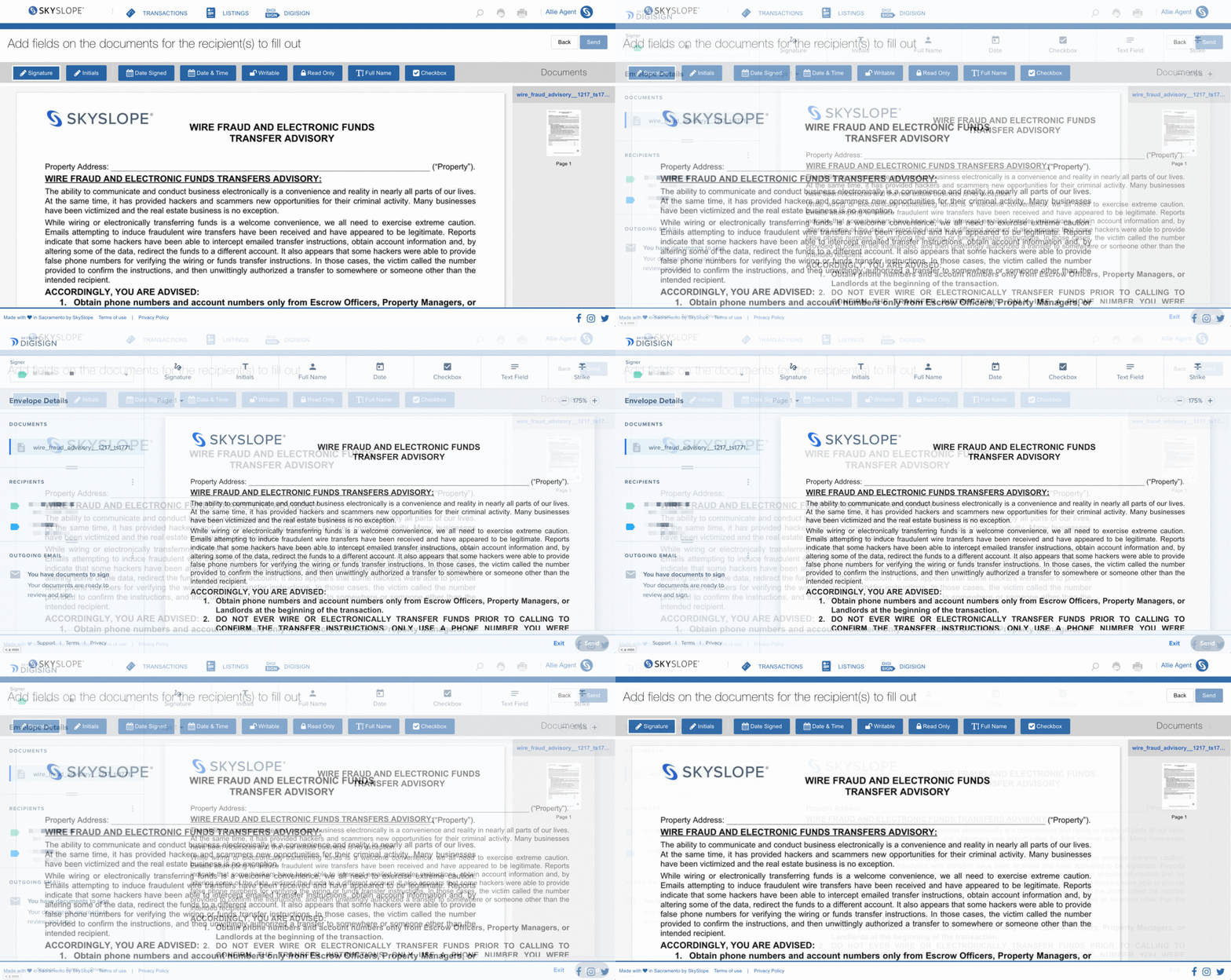
We have begun to roll out our newly redesigned digital signature tool, DigiSign, to a small group of users this month and will continue to update all SkySlope accounts throughout 2021. No need to worry; your signed envelopes will transfer over so you’ll have access to all your data, and you’ll be on your way to a new and improved digital signature platform.
Highlights From the Blog
Introducing the Brand New Skyslope Digisign
We know 2021 will be a good year because we will finally be unveiling our newly redesigned, user-friendly, and seamlessly integrated SkySlope DigiSign. The new DigiSign comes with industry-leading security, a delightful signing experience, and all the necessary tools you need for form preparation. Ditch your third-party signature software (and save yourself a few bucks). We just published a little sneak peek of SkySlope DigiSign on our blog. Read On →
Do More With SkySlope
Convert a Listing to a Transaction in 4 Easy Steps
If your listing has an accepted offer, and the buyer’s docs are ready to be uploaded, the process is a piece of cake!
This short article shows you how to quickly convert your listing into a transaction, and upload your documents to the Transaction Checklist.
Upcoming Events
Daily Webinars
Need to brush up on the SkySlope basics? Fear not! Every week, our Customer Success Team provides several brief training sessions that review the basic functions and processes of SkySlope with live Q&A at the end!
SkySlope Master Classes
Our Customer Success team hosts weekly webinars to help you brush up on your SkySlope skills. Each webinar is about 15 minutes and explores a helpful new topic like, “Managing your checklists” Sign up for an upcoming class or watch a recording from our archive.
Stay Connected
Follow along with our Release Notes page to get all our latest product update news and enhancement details as soon as they are released.
Have a suggestion for how to improve SkySlope? We want to hear from you.